Posts

Showing posts from September, 2017

#14 Android FRP (Factory Reset Protection) What is this?!
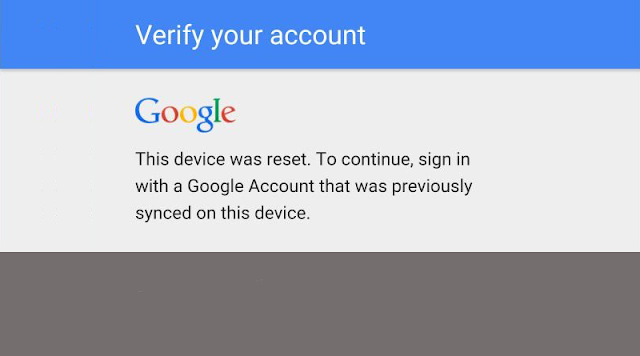
Image
Google has tightened the protection of Android phones from version 5.1. Protection is called FRP or. Factory Reset Protection. It means that the Android mobile is protected when you first sign in with your Google Account! It is protected until remove Google Account from your mobile! Until the Google account does not appear from the mobile phone, the mobile phone remains protected even after the complete reset of the mobile phone or completely erasing the cell phone! That's why the term Factory Reset Protection! This can also cause problems for mobile phone owners who have deleted the phone or phone was reset to the factory settings, forgetting which Google account was entered, or even knowing it, they forgot the password! Mobile can no longer be used! The security can be removed by an authorized service, but only if the owner has a certificate of ownership of the mobile phone (eg an invoice or a warranty)! So: It's imperative to check before "cleansing" you...

#13 Navigation on mobile phone (online or offline?)

Many people are still looking for special off-line navigation for the mobile! ( Navigon , iGo , Here , Sygic , ...). But: Is this necessary? Namely, now the prices of data transmission are very low! If we already have the desire for good off-line navigation I recommend Here at a low price! Why? Because it's cheaper than a low price: it's free of charge! :) We can easily install it from the Google Play Store! Navigation Here is also interesting because we can search for the target with keywords, such as On Google Maps! I've mentioned Google Maps deliberately because this navigation can also be off-line if we want to! My suggestion is to lease data over the number and use the online mode since only by doing so we can use a lot of good Google Maps properties: the state of the current traffic (congestion), the view in real mode (satellites, earth), ... If you want anyway off-line navigation with Google Map , we upload a folder through Wifi as the video shows: youtube: d...

#12 Has your mobile phone become unresponsive/phone hang?

Image
Do you find that your mobile phone is non-responsive or overheating? High probability that software reset will help you! What does SW reset mean? It means how to put the mobile phone in a state to turn it off and then to turn it on normally with the help of external physical keys ! A soft reset will restart the device and will (usually) not erase any data. Let's look at the most common examples: SAMSUNG Galaxy: press and hold the "Power" from the menu choose Power off wait few second Press "Power" or Press and hold the “Power” and “Volume Down” buttons for about 10 seconds until the device powers off. Press "Power" on again! or Press and hold the following three buttons at the same time: Volume up + Home key + Power key At menu you choose: restart or Press and hold the following three buttons at the same time: Volume up + Volume down + Power key At menu you choose: restart iPhone: Just press and hold both the Sleep/Wake...