#15 mobile phone charging
Many times mobile phone owners are asking how to charge a smartphone! What should we be careful about?
Some tips:
1-Never allow the battery to fully discharge
2-Smartphone should be as cold as possible
3-if possible, we do not often connect the smartphone to the charging adapter
4-Not use wireless chargers
5-Avoid Fast Smart Chargers
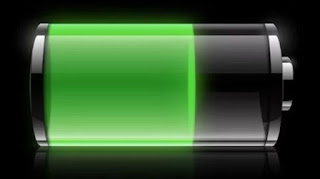
1-Never allow the battery to fully discharge
2-Smartphone should be as cold as possible
Too much heat decreases the battery life! However, higher temperature (charge in the sun) can cause the built-in electronics to turn off the charging and even report a charging error!
3-if possible, we do not often connect the smartphone to the charging adapter
4-Not use wireless chargers
5-Avoid Fast Smart Chargers
If you would like the mobile phone to have a long autonomy:
-Switch off Wifi and Bluetooth if not used frequently!
-Set the screen brightness to a minimum
-Close unnecessary running applications
-Turns the phone on and off once a week (see also: phone unresponsiveness)
-Check if there are updates for the mobile phone system itself! If I then necessarily update the system!
sources:
www.microera.si
Some tips:
1-Never allow the battery to fully discharge
2-Smartphone should be as cold as possible
3-if possible, we do not often connect the smartphone to the charging adapter
4-Not use wireless chargers
5-Avoid Fast Smart Chargers

1-Never allow the battery to fully discharge
It often happens that mobile phone owners leave their mobile phone to almost completely discharge (below 10%)! Is that OK? NO!
If the battery is on very low charging level it often happens that the phone fails to start charging! The reason is often also the protective electronics in the battery itself which turns off the battery when the battery is too low! The result is that the phone no longer responds! Even longtime charging does not help! It only helps to charge the battery independently via a special charger! This is not always possible, of course, as the newer cell phones have the battery built in!
Too much heat decreases the battery life! However, higher temperature (charge in the sun) can cause the built-in electronics to turn off the charging and even report a charging error!
3-if possible, we do not often connect the smartphone to the charging adapter
Manufacturers report the number of charging cycles for batteries with a 20% reduction in battery capacity with respect to rated capacity! This is usually 500 cycles! For this reason, the warranty on the battery is almost always shorter (1 year) than the warranty on the mobile phone itself (2 years)!
4-Not use wireless chargers
According to point 3, and since wireless chargers usually place the appliance on the charger several times and we also lift it from the wireless station of these chargers, we do not recommend wireless charging! Generally, the heating of the cell phone itself is greater (note: point 2), depending on how much energy is transferred to the battery itself compared to the classic charging method!
5-Avoid Fast Smart Chargers
Fast chargers communicate with the battery in the mobile phone, as they need accurate information about the status of the battery (temperature, charging current, ...). All these extreme limits can cause unintended consequences! If you are already using quick chargers, it's best to use the chargers that come with your mobile! A nice example is the bad charging control of the NOTE7 and the battery explosion!
If you would like the mobile phone to have a long autonomy:
-Switch off Wifi and Bluetooth if not used frequently!
-Set the screen brightness to a minimum
-Close unnecessary running applications
-Turns the phone on and off once a week (see also: phone unresponsiveness)
-Check if there are updates for the mobile phone system itself! If I then necessarily update the system!
sources:
www.microera.si


Comments
Post a Comment